Structured reservations
Capture the project, device model, board count, duration, preferred time, and execution script. Separate demand from confirmed assignment.
Palladium emulator time management
Bring reservations, allocation decisions, execution monitoring, and utilization into one workflow. Give engineers a clear request process and administrators a practical way to govern shared Z1/Z2 capacity.
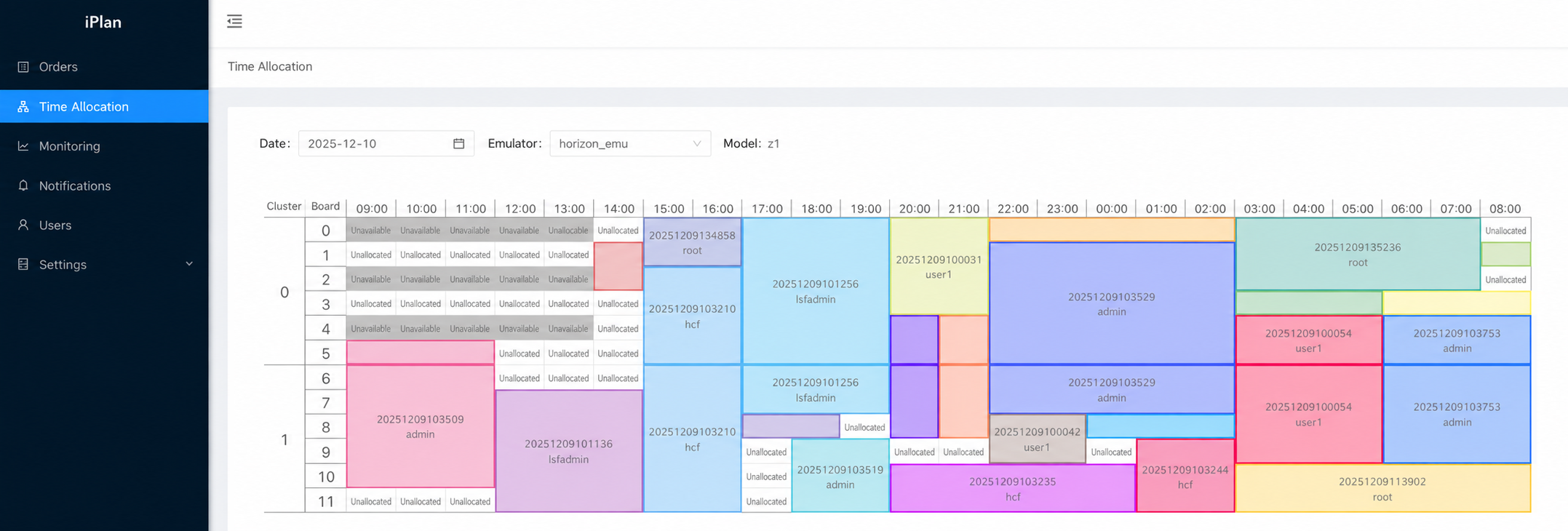
Palladium board and time visibility. English labels are localized from an actual product screenshot for illustration; confirm available UI languages during evaluation.
Capture the project, device model, board count, duration, preferred time, and execution script. Separate demand from confirmed assignment.
Choose priority, fair share, or assignment-rate policies. Review candidate schedules and handle exceptions before publishing.
Match released time to eligible waiting requests that accept backfill and fit the remaining window.
Make unavailable device time visible in the calendar so reservations and scheduling reflect operational constraints.
Connect server and worker services to collected device state. Observe starts, no-shows, releases, and order outcomes.
Review user and emulator utilization trends, then use the evidence to improve allocation rules and capacity decisions.
Engineers submit device and timing requirements. Competing reservations are allowed.
A configured cutoff freezes eligible requests for the next allocation cycle.
The selected policy generates a candidate schedule from capacity and request constraints.
Administrators inspect allocations and handle permitted adjustments before publication.
Users receive results; runtime collection supports state checks and backfill handling.
Review utilization and exceptions to refine priorities, limits, and reservation behavior.
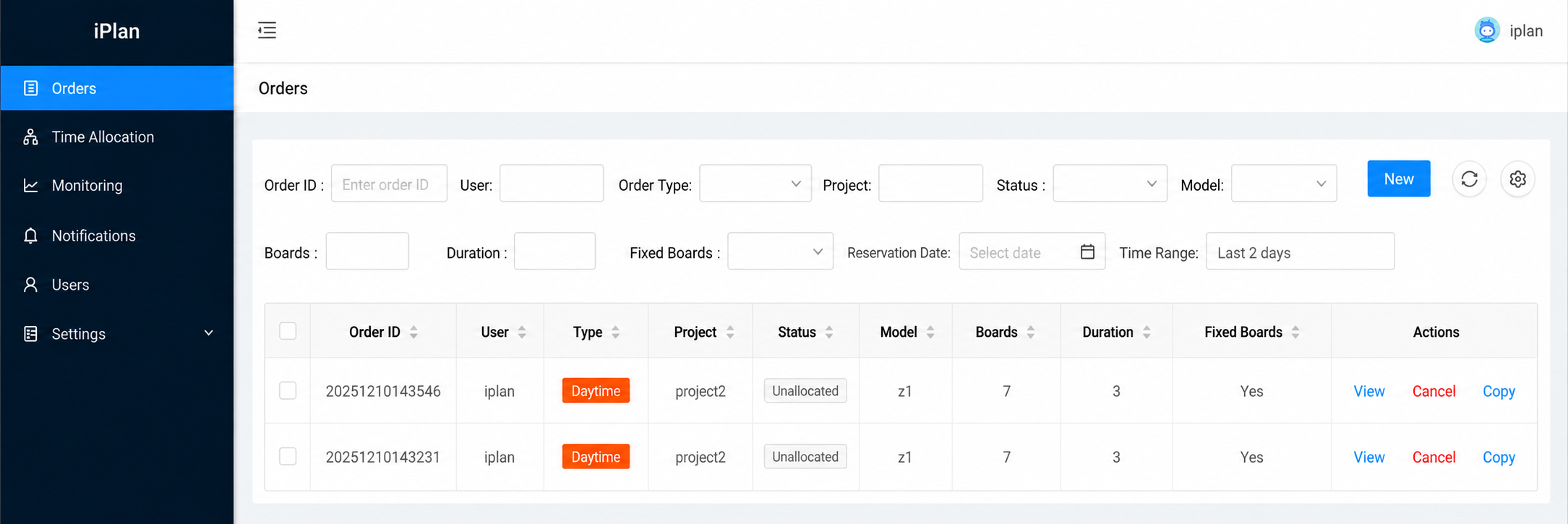
English-localized illustration based on the existing order interface, not a screenshot of a released English UI.
Submit and track requests, inspect the calendar, copy orders with updated time preferences, and release unused assigned time. Actions follow ownership and order state.
Maintain projects and limits, schedule maintenance, select allocation policies, and adjust future capacity. Lock windows keep the daily review controlled.
Deploy the server and worker services on premises. Integrate with configured enterprise identity and device collectors.
Confirm emulator versions, board topology, authentication, time zone, language needs, and notification channels. Feishu is documented; Lark and other messaging integrations need separate validation.
English product and user documentation is available. A scoped quote can cover implementation, training, and support expectations for your environment.
Start with a device group, projects, and a real allocation period. Establish a baseline and agree on acceptance criteria before expanding deployment.